Live transcript
10:24
The long-term trend looks positive overall.
10:25
Recent volatility could change the risk picture.
10:25
How has the portfolio performed over the last five years?
How has the portfolio performed over the last five years?
It has delivered steady long-term growth, with recent volatility worth planning for.
Use the portfolio stability as your strongest proof point.

Live answers, question detection, and meeting insights
during every conversation.

Quick overview
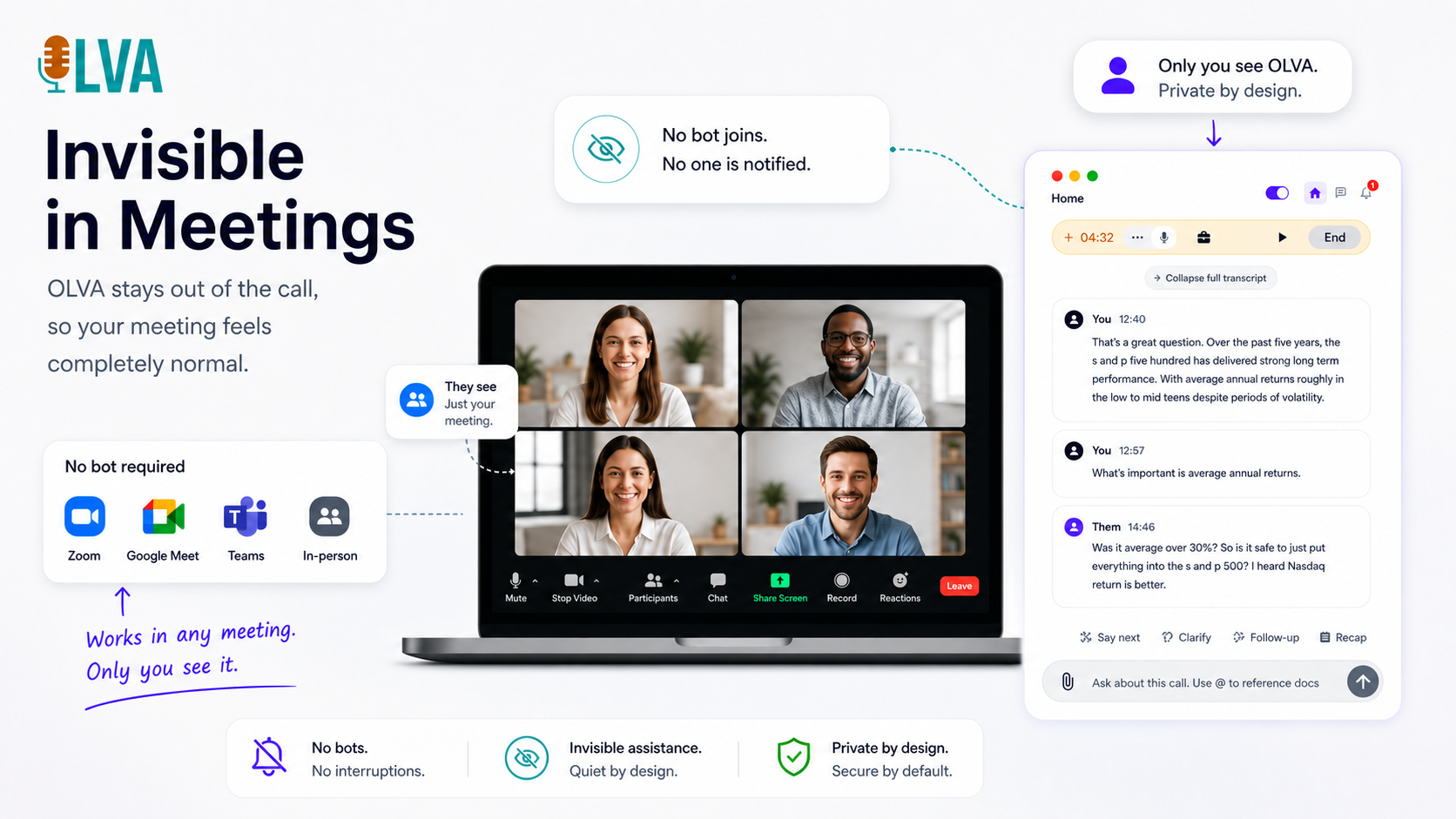
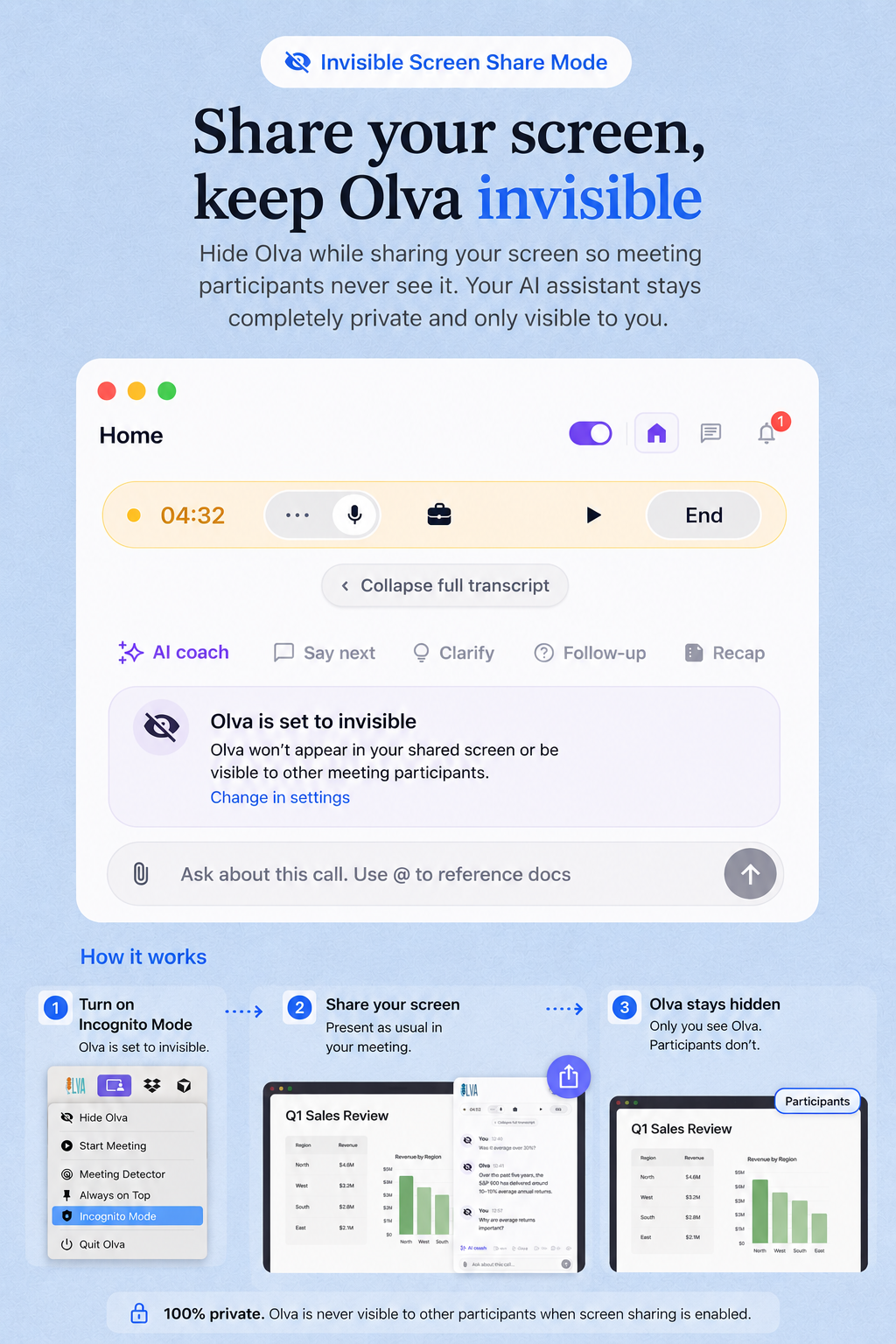
OLVA delivers live meeting intelligence for Zoom, Meet, Teams, and in-person conversations without joining as a bot. Get question detection, live answers, coaching, multilingual transcription, and searchable meeting memory.
Core features
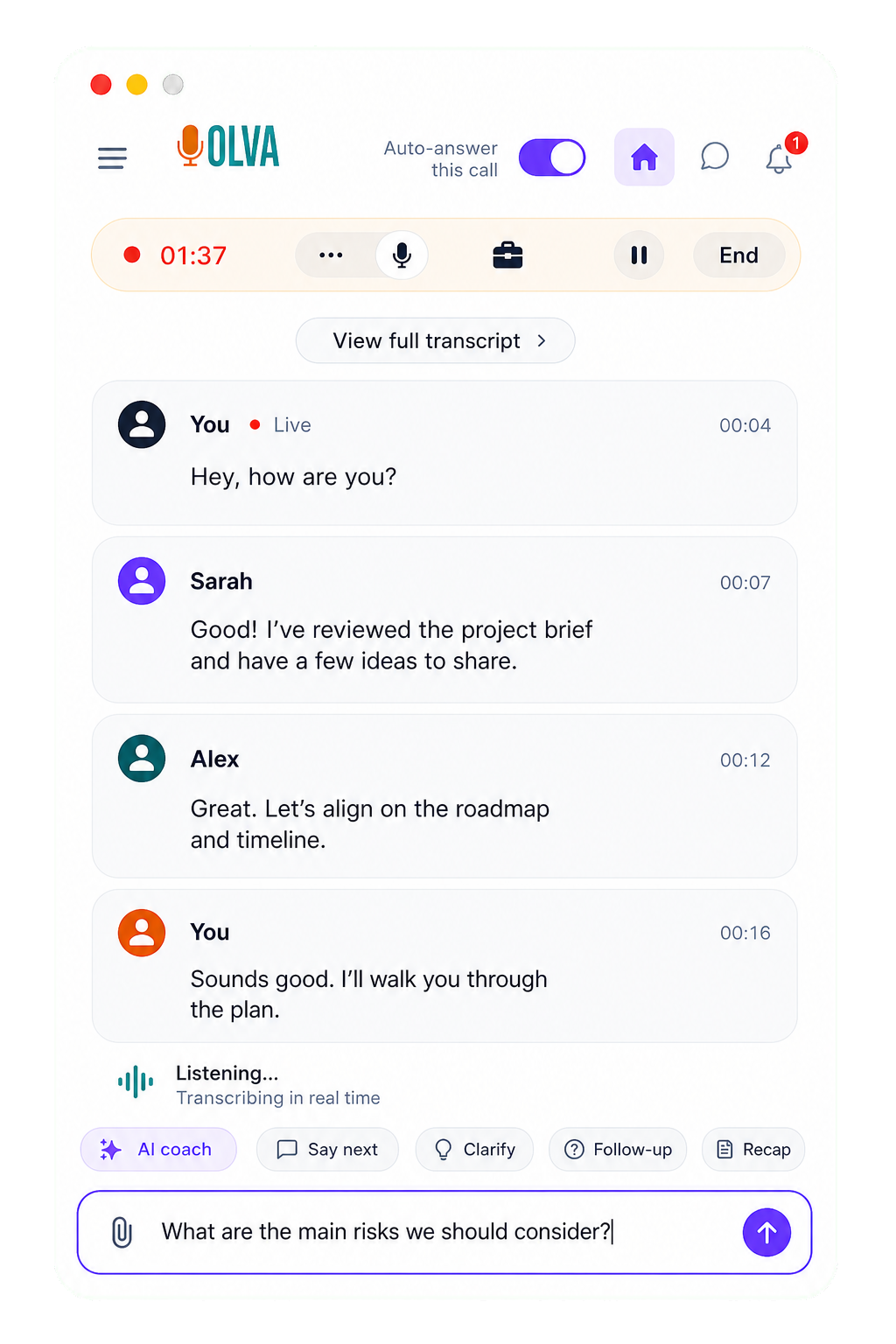
Live transcript
Follow the meeting as it happens with live transcription that keeps pace with every speaker, so key points are available while the conversation is still moving.
Question detection
OLVA recognizes questions in the conversation automatically and brings them forward without forcing you to stop, search, or type in the middle of the call.
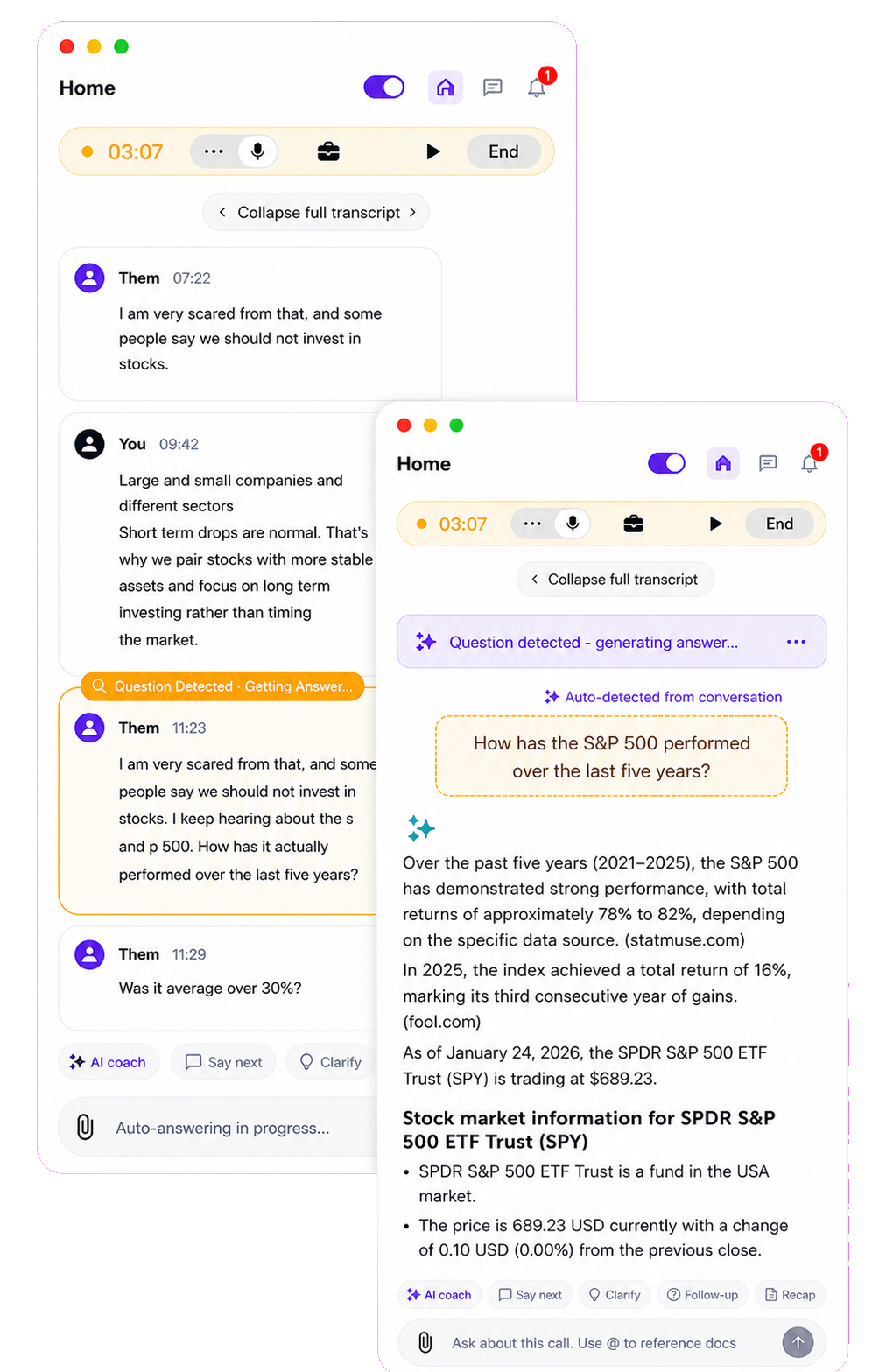
In-meeting answers
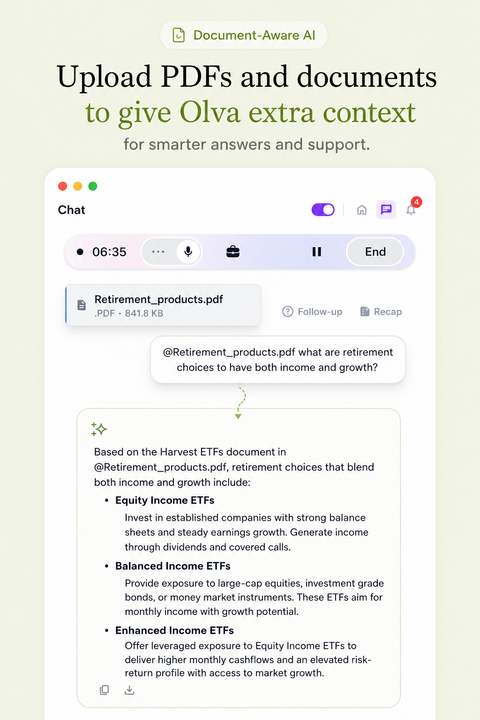
Ask about the meeting while you are still in it. OLVA uses the active transcript and your connected context to help you answer with confidence.
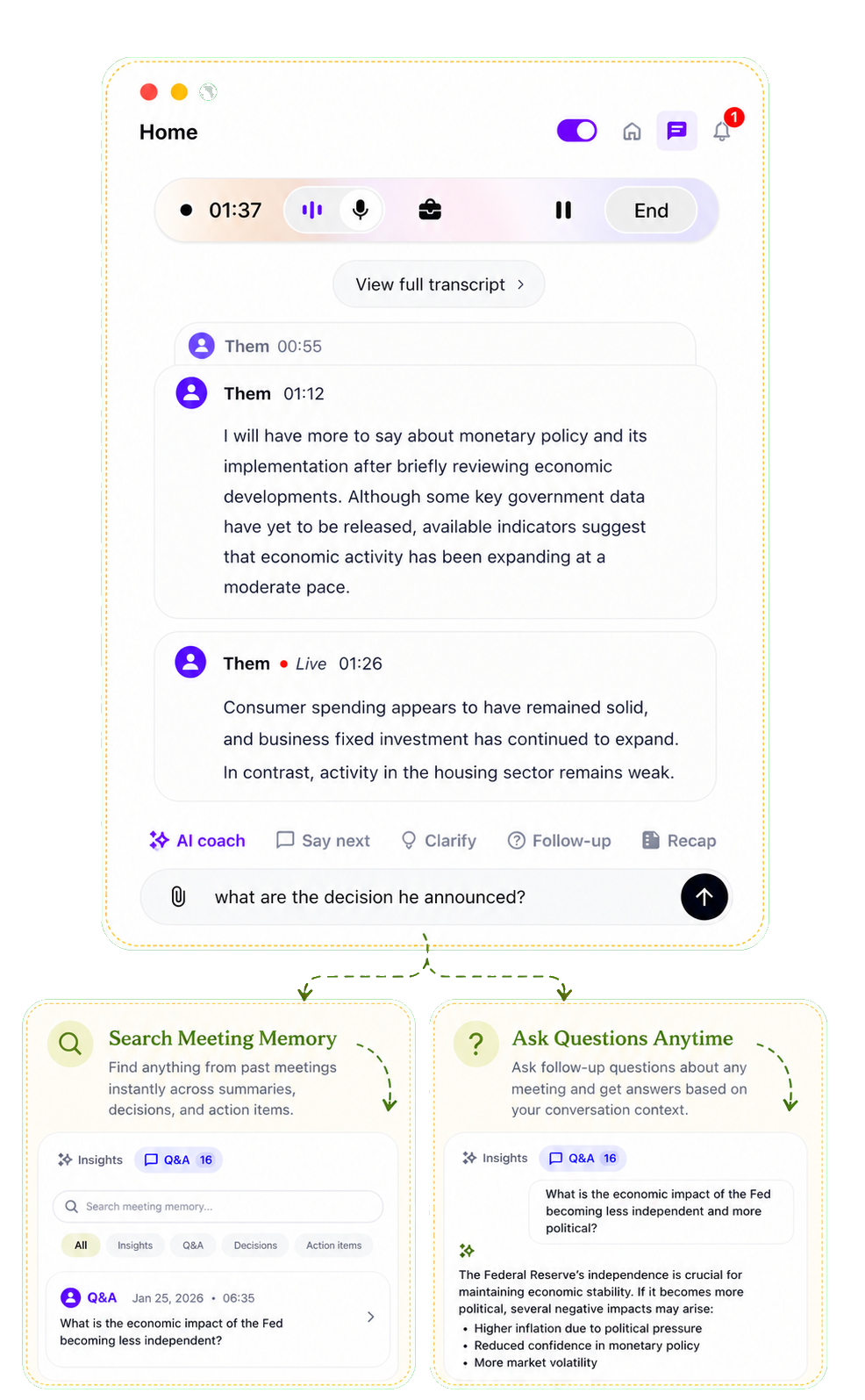
Live intelligence
Get live insights while discussions happen, including useful signals, risks, and follow-ups that help you steer the meeting in real time.
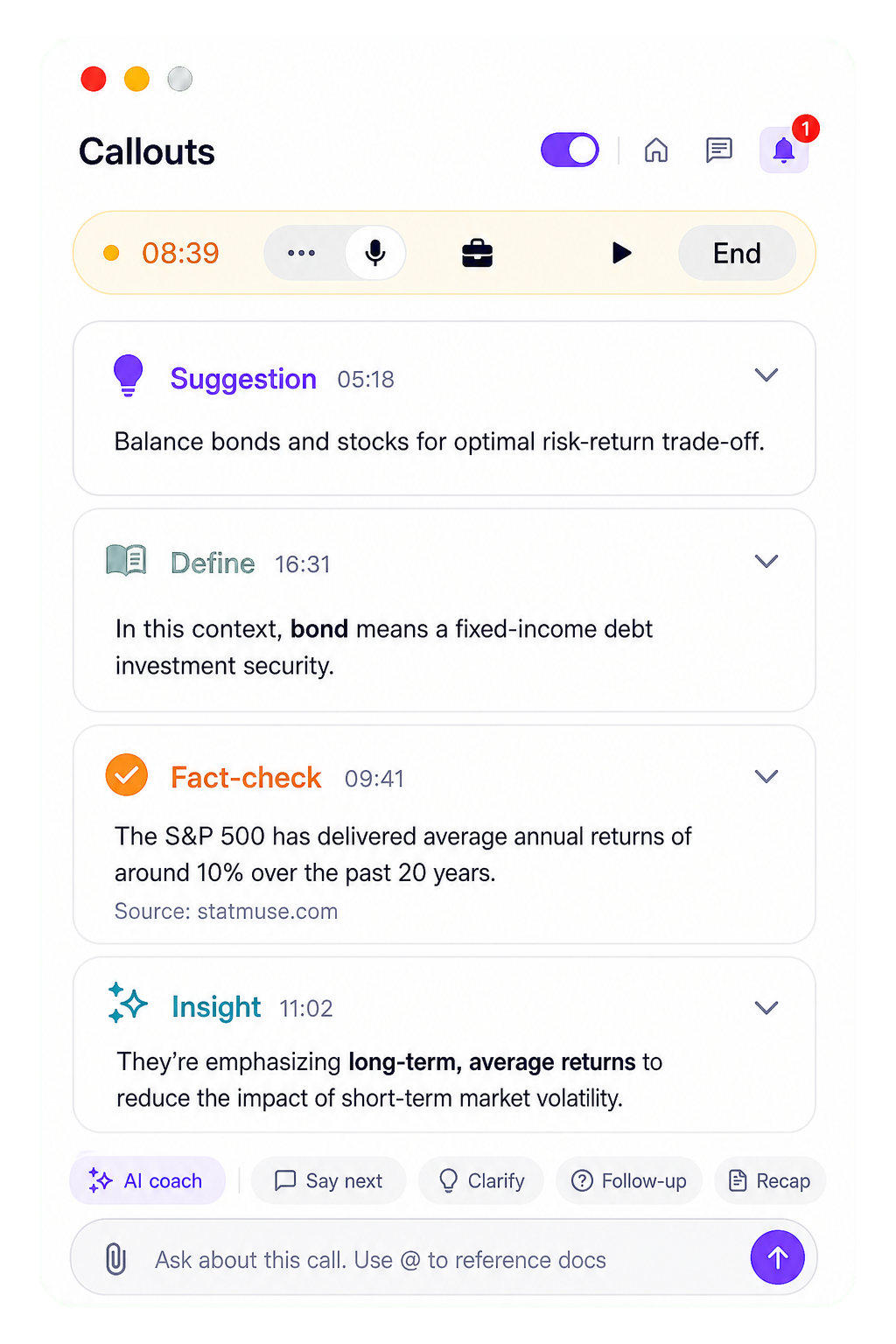
Mobile app
Use OLVA from your phone for live transcription, meeting history, recaps, and follow-up questions when work moves away from your desk.
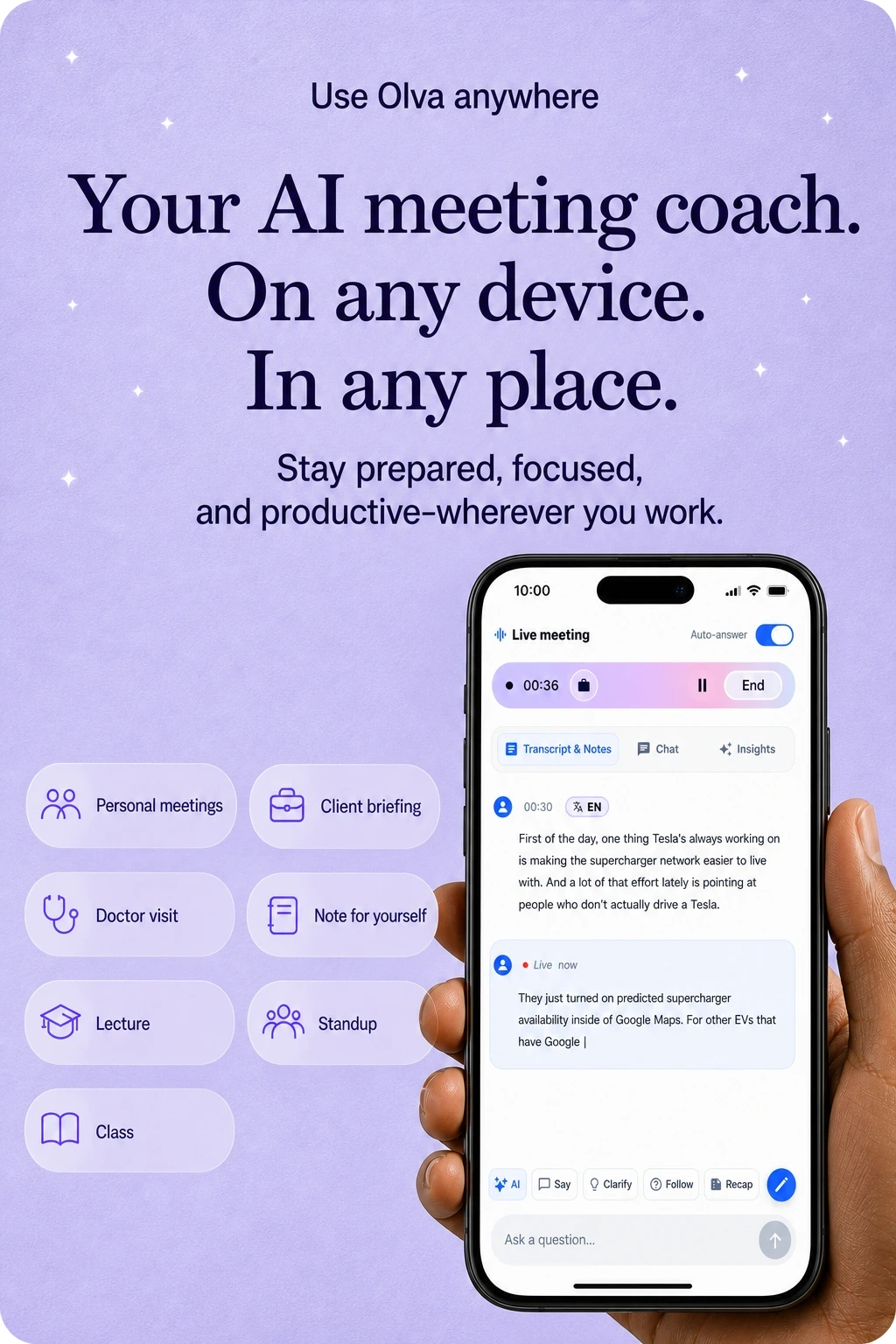
87 language and regional options
Start in Auto multilingual mode, or choose from 87 language and regional options when the meeting needs broader coverage.
Transcripts, answers, and summaries follow the meeting language.
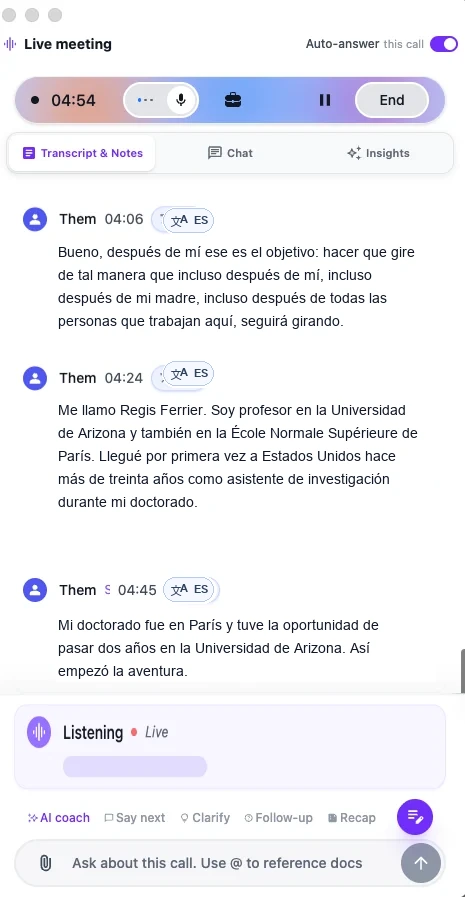
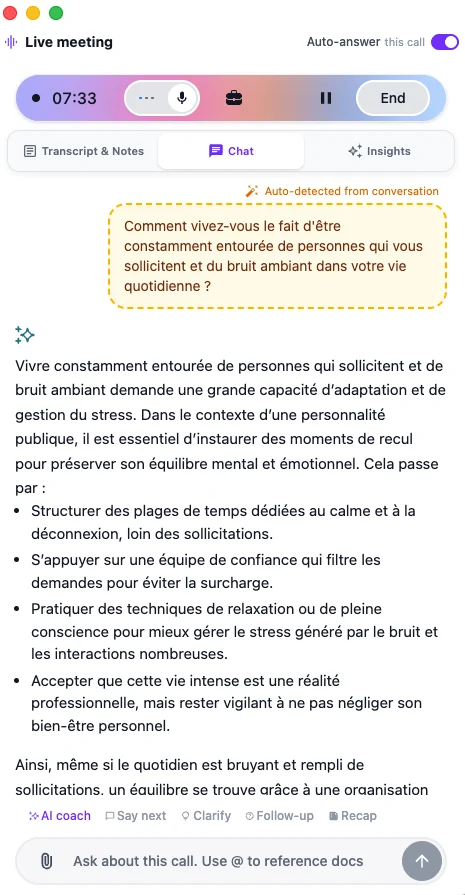
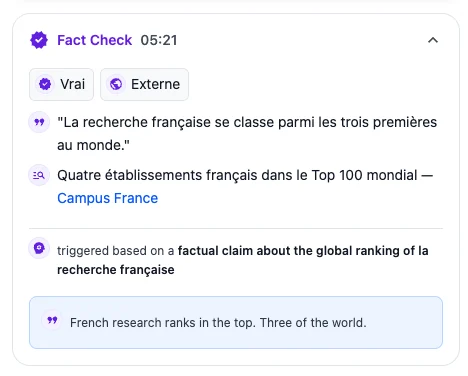
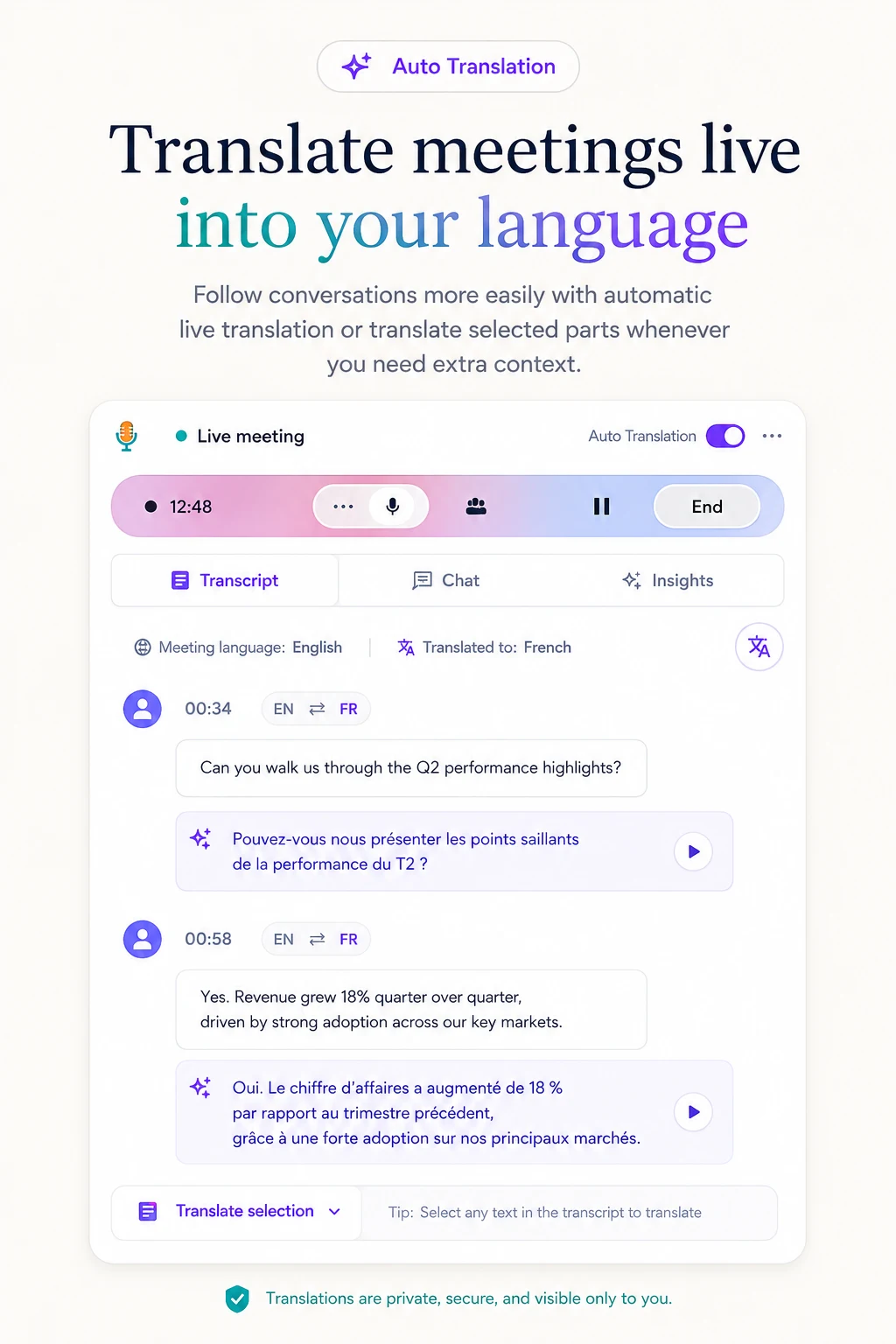
Auto + manual translation
Translate meetings into your preferred language automatically, or translate selected parts of the conversation whenever you need more context.
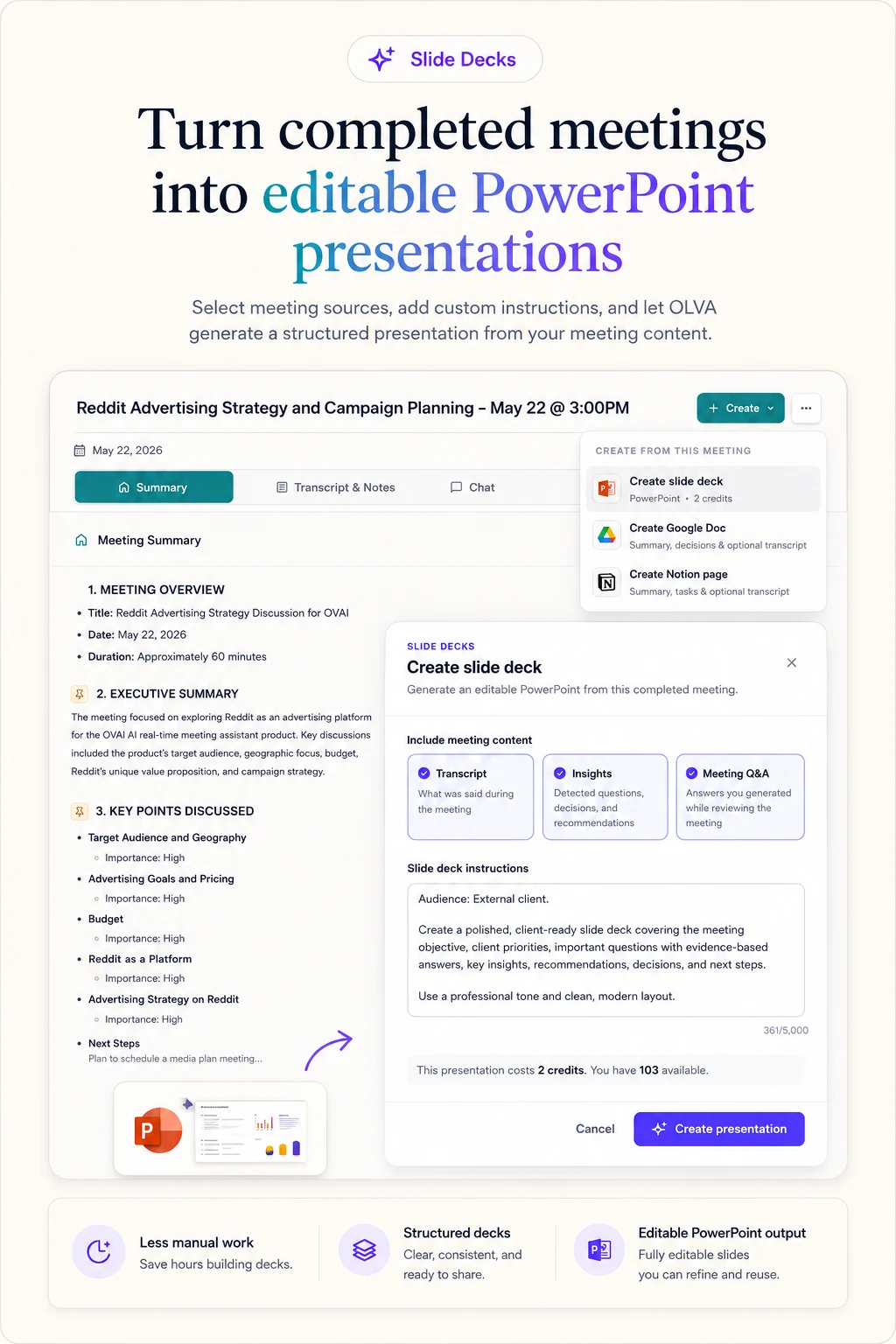
Editable PowerPoint
Turn completed meetings into structured, editable PowerPoint presentations using the transcript, insights, and meeting Q&A.
More features
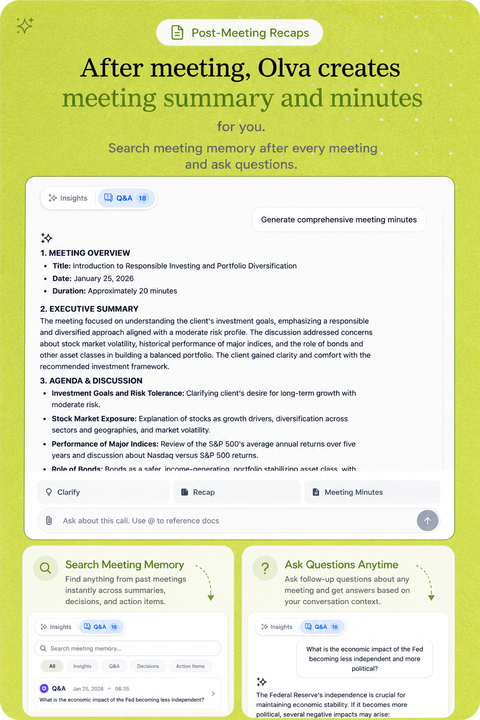

Product demo
Watch how OLVA stays private, detects questions, and brings answers into the conversation without joining the call.
Platform compatibility
OLVA captures your computer audio directly, so it works beside the meeting tools you already use without joining your call.
Zoom
Google Meet
Microsoft Teams
Slack huddles
Webex
In-person
Zoom
Google Meet
Microsoft Teams
Slack huddles
Webex
In-person
Mobile apps
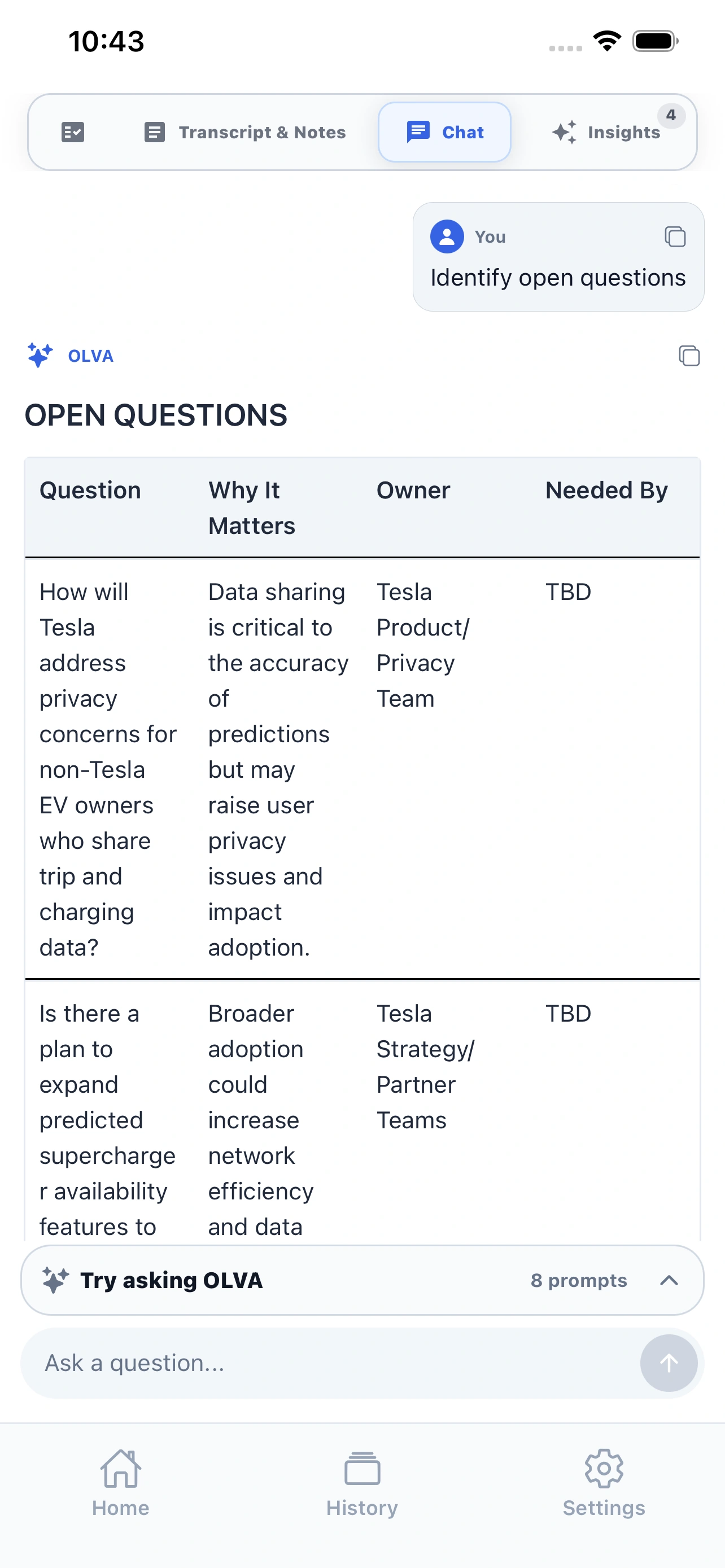
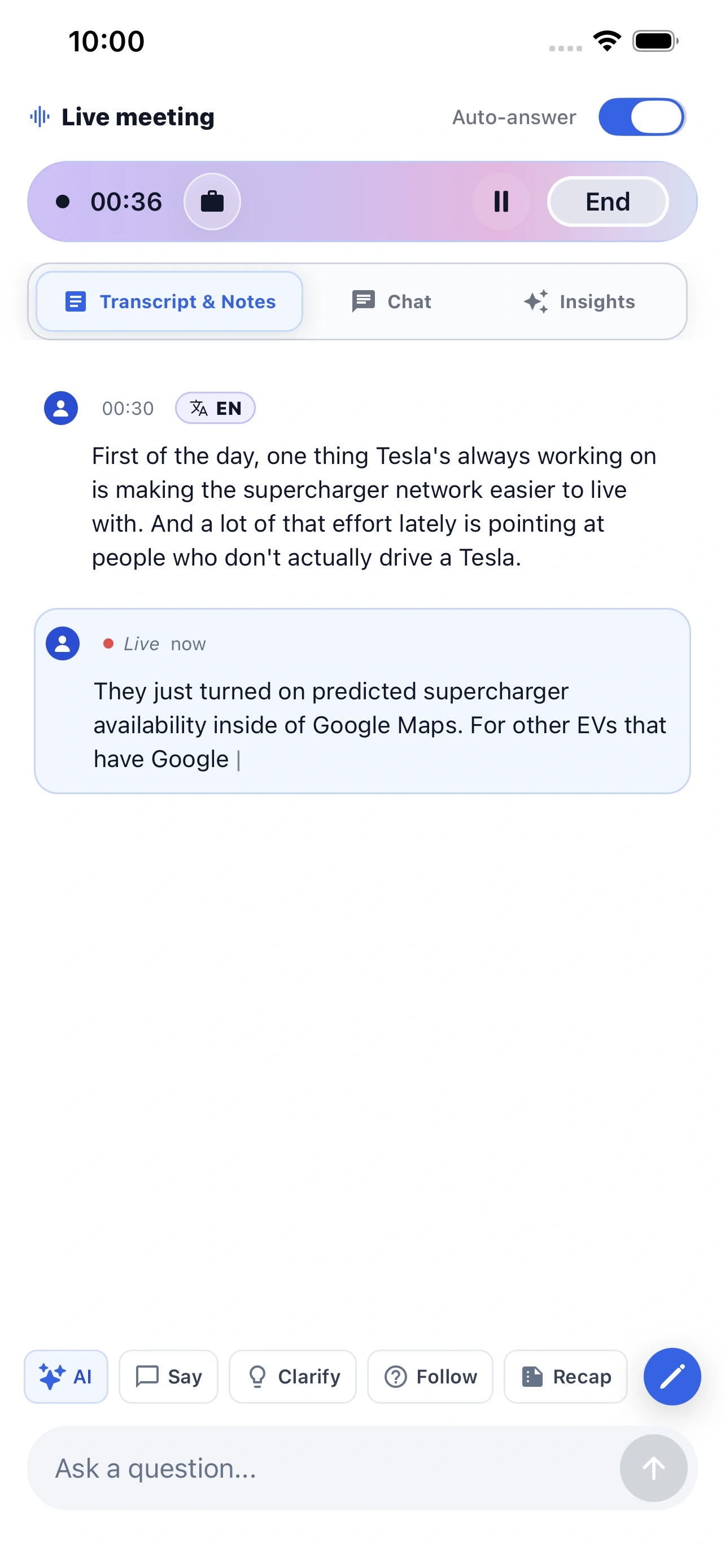
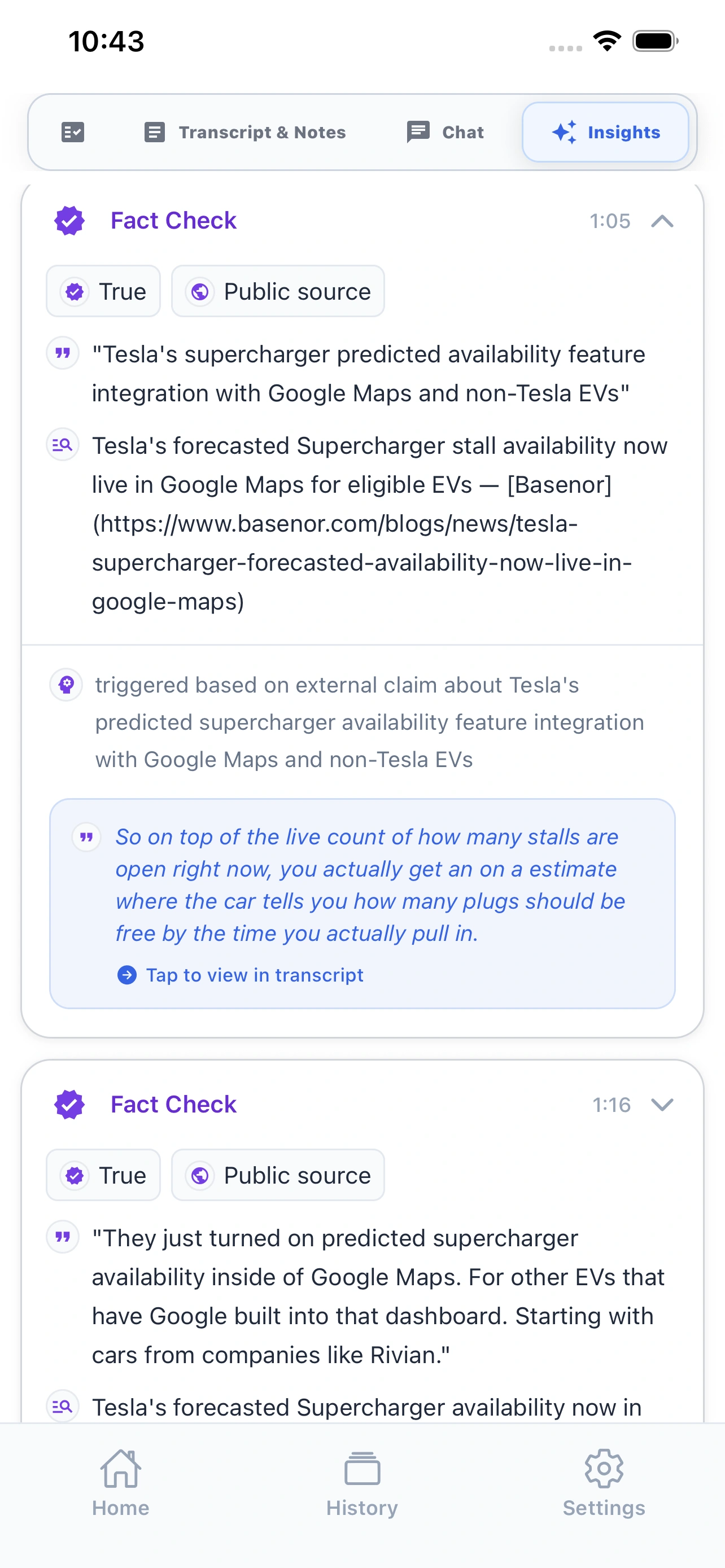
Start or review meetings from your phone, revisit meeting memory, and ask follow-up questions wherever work takes you.
Live meeting companion
Record in-person conversations, follow the transcript, and ask OLVA when you need help in the moment.
Meeting memory in your pocket
Review recaps, history, and follow-up Q&A after the meeting without waiting to get back to your desktop.
AI meeting assistant comparison
We built OLVA for the hardest part of the meeting: the live moment when you need context, confidence, and a better answer before the conversation moves on.
Granola
Popular for personal, bot-free meeting notes and a lightweight writing workflow.
Fireflies.ai
Known for team transcripts, searchable meetings, and conversation intelligence.
Fathom
A common pick for easy call recording, summaries, clips, and CRM follow-up.
Otter.ai
Well known for transcription, collaborative notes, and searchable meeting records.
| Feature | OLVA | Granola | Fireflies.ai | Fathom | Otter.ai |
|---|---|---|---|---|---|
| Live insight | Live insight while the meeting is still happening. | Some live assistance | Primarily capture and review | Primarily capture and review | Live transcription and chat |
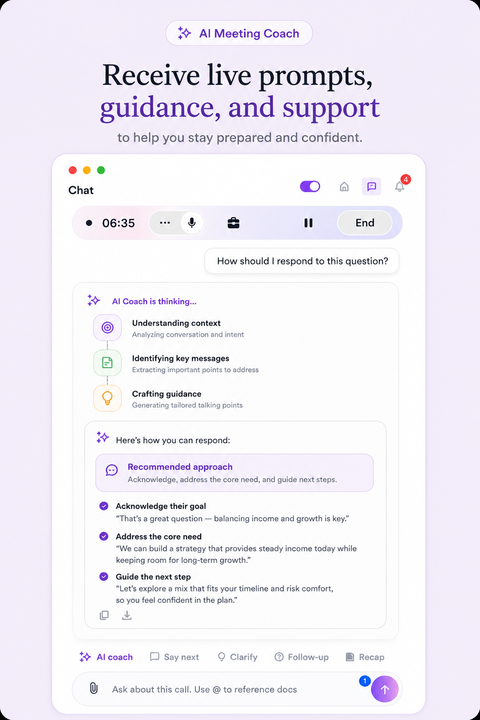
| AI coach | AI coach for thinking, responding, and steering live conversations. | Limited live guidance | Post-call coaching tools | Post-call workflows | Meeting chat and agents |
| Document-aware chat | Document-aware chat across decks, briefs, contracts, notes, and meeting memory. | Meeting context focused | Meeting context and integrations | Meeting context focused | Meeting context and file workflows |
| Auto-detected questions | Auto-detected questions that surface the moment help may be useful. | Not a primary documented workflow | Not a primary documented workflow | Not a primary documented workflow | Not a primary documented workflow |
| Botless by default | No visible meeting bot because OLVA captures from the user’s device. | Botless device capture | Bot and capture options vary | Bot-based and desktop capture options | Bot and capture options vary |
| Multilingual meetings | 87 language and regional options with auto multilingual and manual selection modes. | Published language support varies | Published multilingual support | Published language support varies | Published multilingual support |
| Live translation | Live transcript translation during active meetings, with automatic or manual language selection. | Not available | Not available | Not available | Not available |
| In-person meetings | Desktop and mobile capture for conversations outside video calls. | Desktop capture | Mobile and upload workflows vary | Desktop-focused | Mobile transcription |
| Mobile support | iOS and Android companion apps for live capture, recaps, history, and follow-up Q&A. | Mobile note access | Mobile capture and review | Desktop-focused | Mobile transcription and notes |
| Post-meeting memory | Searchable meeting memory with summaries, insights, exports, and follow-up Q&A. | Notes and meeting history | Transcripts, summaries, and search | Recordings, summaries, and search | Transcripts, summaries, and search |
| Professional slide decks | Professional slide deck generation creates editable PowerPoint presentations from meeting context. | Not available | Not available | Not available | Not available |
| Primary emphasis | Help during the live moment, followed by post-meeting memory. | Collaborative note writing | Meeting capture and intelligence | Recording and follow-up | Transcription and meeting agents |
Comparison facts reviewed July 20, 2026. Products change; claims are scoped to reviewed public information. Sources and corrections.
Pricing
Pick the plan by meeting volume. All paid plans keep the live context workflow: transcription, AI Boost, document-aware answers, and post-meeting memory.
Positioned for live value, not another notes dashboard.
Compare features
Free
Free trial with essential meeting features
$12.50
/mo
$150 per year ($12.50/mo when paid annually).
$19.99
/mo
$239.88 per year ($19.99/mo when paid annually).
Compare plans and features
$12.50
/mo
$150 per year ($12.50/mo when paid annually).
Live transcription with useful cues | Included | Included | Included |
Real-time insights (Fact check, Suggestion, Opportunity) | Included | Included | Included |
In-meeting live chat | Included | Included | Included |
Auto question detection | Included | Included | Included |
Live AI coach | Included | Included | Included |
Automatic meeting note/summary generation | Included | Included | Included |
Comprehensive post-meeting minutes (action items, decisions, next steps, risks,...) | Included | Included | Included |
Post-meeting Q&A across meetings | Included | Included | Included |
Add personal meeting notes | Included | Included | Included |
Automatic sticky note generation | Included | Included | Included |
Slide deck/PowerPoint from conversation | Included | Included | Included |
Live transcript translation | Included | Included | Included |
Meeting folder management | Included | Included | Included |
Multilingual support | Included | Included | Included |
Meeting history | Included | Included | |
File attachment for doc-aware Q/A | Not included | Included | Included |
Calendar-aware meeting workflow | Not included | Included | Included |
Slack integration | Not included | Not included | Included |
Google Drive integration | Not included | Not included | Included |
Notion integration | Not included | Not included | Included |
Outbound webhooks for developers | Not included | Not included | Included |
Teams and enterprise
Tailored
Custom pricing
Query hubs
Exact-match pages for the queries engines currently answer with Granola, Tactiq, Fireflies, and Otter.
Latest guides
Practical guides for getting more value from every conversation.
OLVA guide
为幕僚长和项目负责人评估用于定期项目审查的 AI 会议记录工具的实用指南。了解关键能力:持续会议记忆、可搜索洞见、会中实时支持、多语种转录与文档感知智能,并学习如何运行试点。
Read guideOLVA guide
يساعد هذا المقال مديري الديوان وقادة المشاريع في اختيار أدوات تدوين ملاحظات الاجتماعات المعتمدة على الذكاء الاصطناعي لمراجعات المشاريع المتكررة، بمقارنة ذاكرة الاجتماعات المستمرة، المخرجات القابلة للبحث، والدعم المباشر، ويشمل قوالب عملية وخارطة طريق للتجربة.
Read guideOLVA guide
I Chiefs of Staff che gestiscono review di progetto ricorrenti hanno bisogno di memoria delle riunioni, insight ricercabili e supporto live. Questa guida confronta tipi di strumenti, offre una checklist d'acquisto, workflow pratici e mostra come un assistente in tempo reale senza bot visibili come OLVA può integrarsi nel processo.
Read guideLatest coverage
Independent articles, interviews, and reviews from around the web.
Aitoolfinder
Aitoolfinder website which is an important source for listing AI tools, recently featured OLVA among their Best Free AI Meeting Note Takers in 2026.
Read coveragetechtipper
OLVA featured in a review by techtipper among Best AI Tools for Meeting Notes in 2026. Best AI Meeting Notes Tools: Fathom is a free, bot-free option; Otter.ai is for team collaboration and speaker identification; Granola is for private note-taking; Fireflies.ai is for CRM-connected sales workflows; combines meeting notes with noise cancellation; and OLVA stands out for real-time, bot-free meeting assistance where users need online and live help during meeting and after the meeting.
Read coveragetechtippr
OLVA reviewed by techtippr website as one of the best AI Tools for Meeting Notes in 2026. as per this site, OLVA is a bot-Free Real-Time AI Meeting Assistant designed to help users during conversations and after they end. Unlike traditional AI note-taking tools that…
Read coverageDownload
FAQ
Yes. OLVA works as a private desktop and mobile companion instead of joining your Zoom, Google Meet, Microsoft Teams, Slack huddle, Webex, or in-person meeting as a visible participant.
Yes. OLVA follows the live transcript, detects questions automatically, and can generate contextual answers, coaching prompts, and follow-up suggestions while the conversation is still happening.
Most AI notetakers focus on notes after the call. OLVA is built for the meeting itself: live transcription, question detection, AI Boost, document-aware answers, coaching, and post-meeting memory.
No. OLVA captures from your own device and does not appear as a meeting participant. It is a lighter way to bring AI into the room while you keep the normal consent and notice practices your meetings already require.
Independent listings
These are public profile, store, and article pages where OLVA is listed. They are not awards, star ratings, or reviews we control. See current plans on pricing and sourced product claims on Product facts.
Official listings
Read reviews, compare plans, or explore OLVA on our official listings.